Your pet’s health in one app
Visits, vaccines, meds and lab results in one record. It reminds you on time, charts lab results, and a QR tag on the collar helps bring a lost pet home.
 Google Play
 App Store soon
Free · no sign-up · for cats, dogs and more

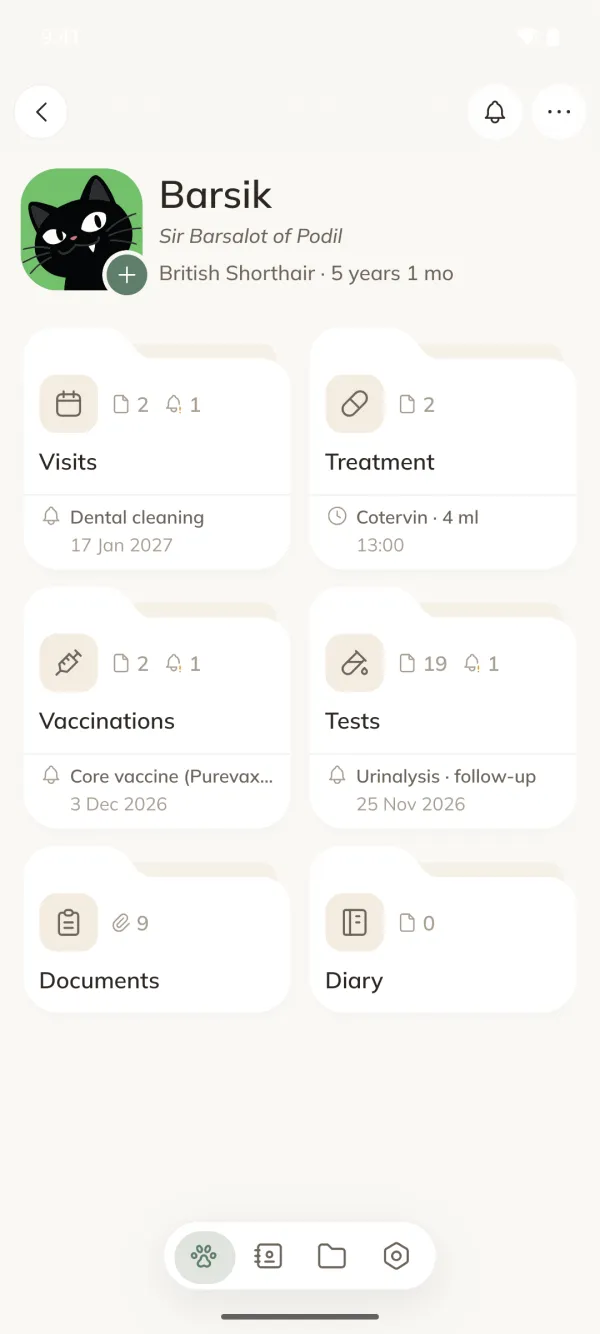
Everything about your pet on one screen
Visits, treatment, vaccinations, tests, documents and diary, and each section shows what’s next.
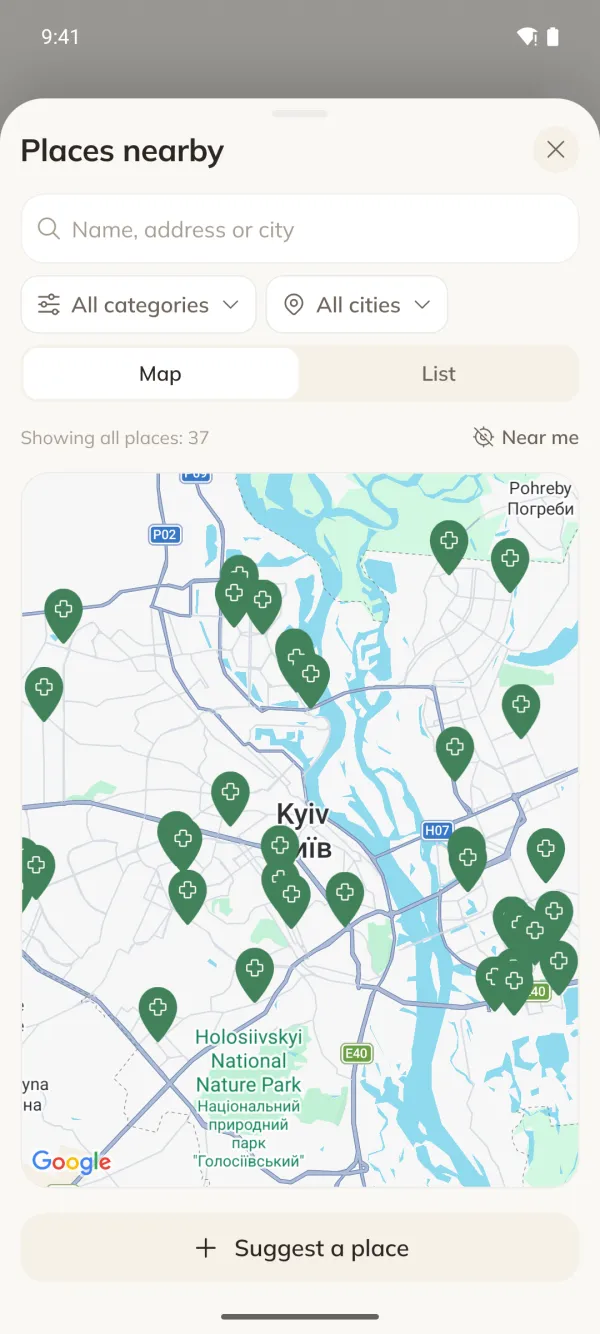
Contacts close at hand
Keep the people who care for your pet in one place, or find places on the map and call in one tap.
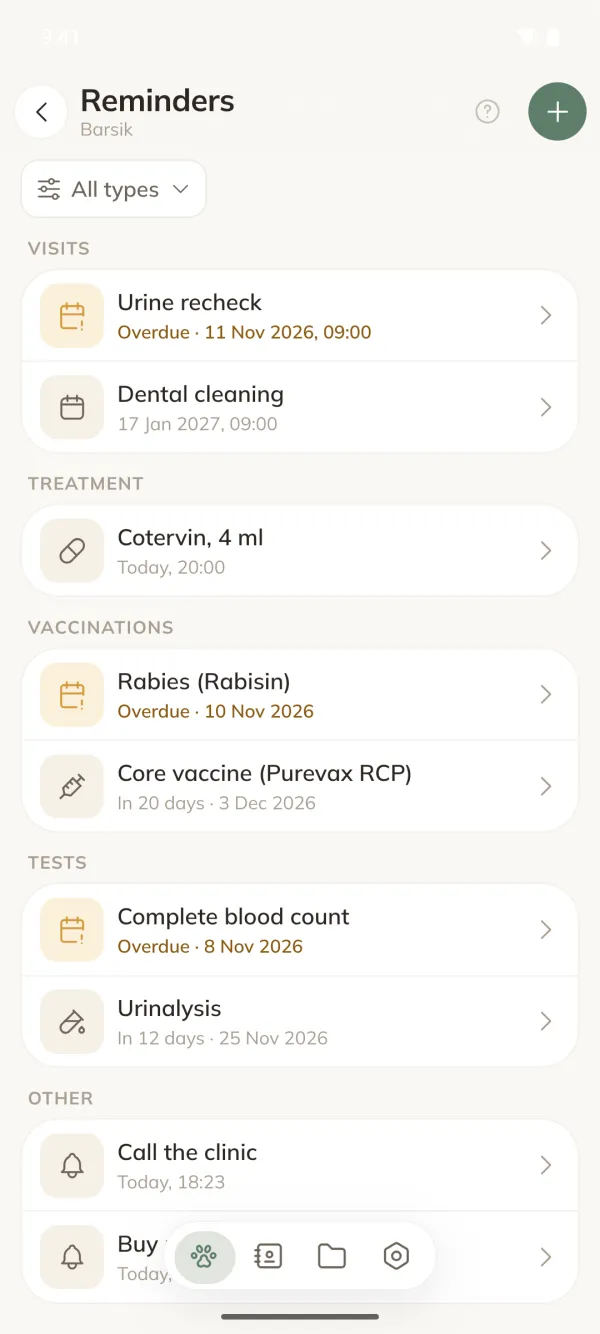
Reminds you on time
About visits, vaccines, tests and meds. And about anything else you need.
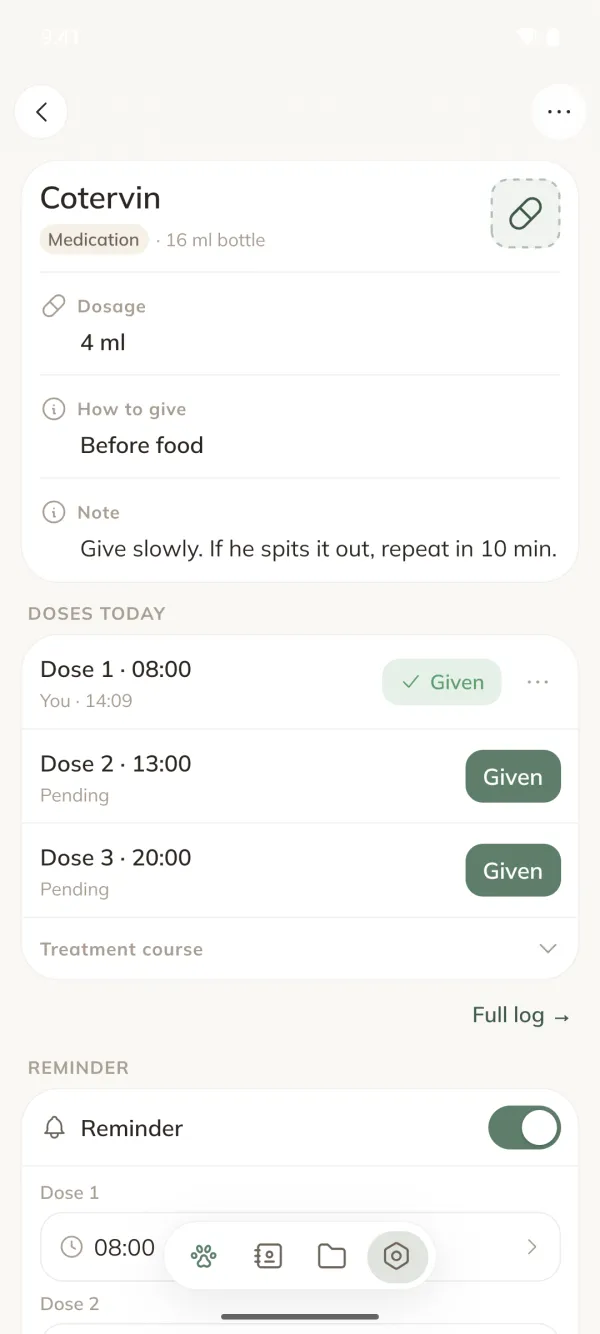
Treatment
Daily, interval or as-needed meds, with a reminder for every dose and a dose log.
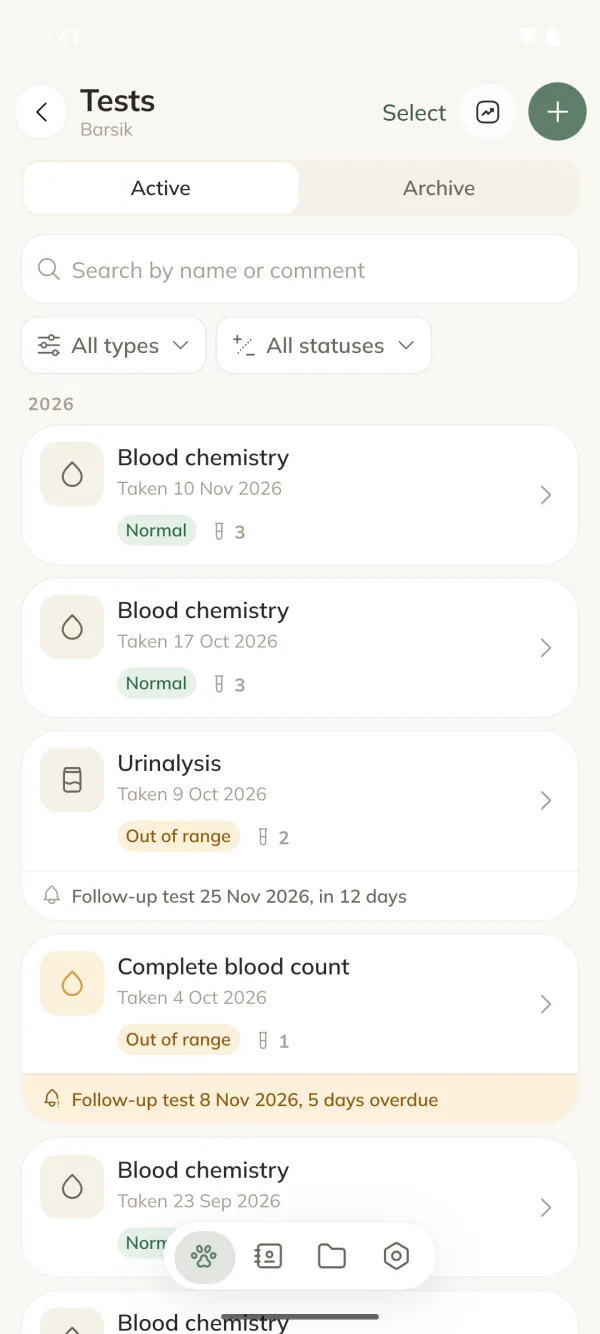
Lab results on a chart
Values with reference lines: see how creatinine or glucose changes from test to test.

 Scan it: this is a real page
If your pet gets lost
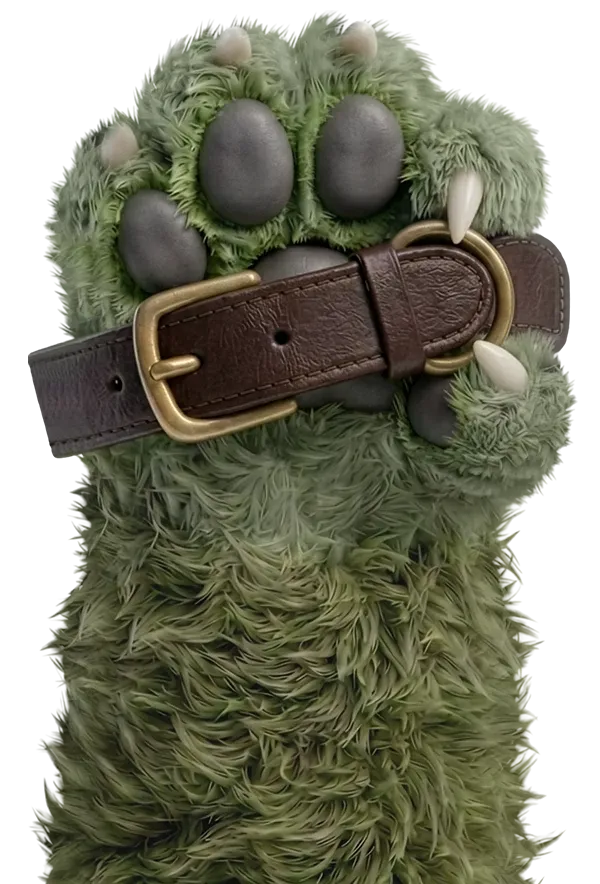
A QR tag that leads home
Whoever finds your pet scans the tag and sees an “I’m lost” page. You choose what it shows, and your address is never there.
- Create a QR in the app and print a collar tag.
- Pet missing? Turn on “I’m lost” mode.
- The finder scans the tag and calls you. You see how many times it was scanned.
Care for them together
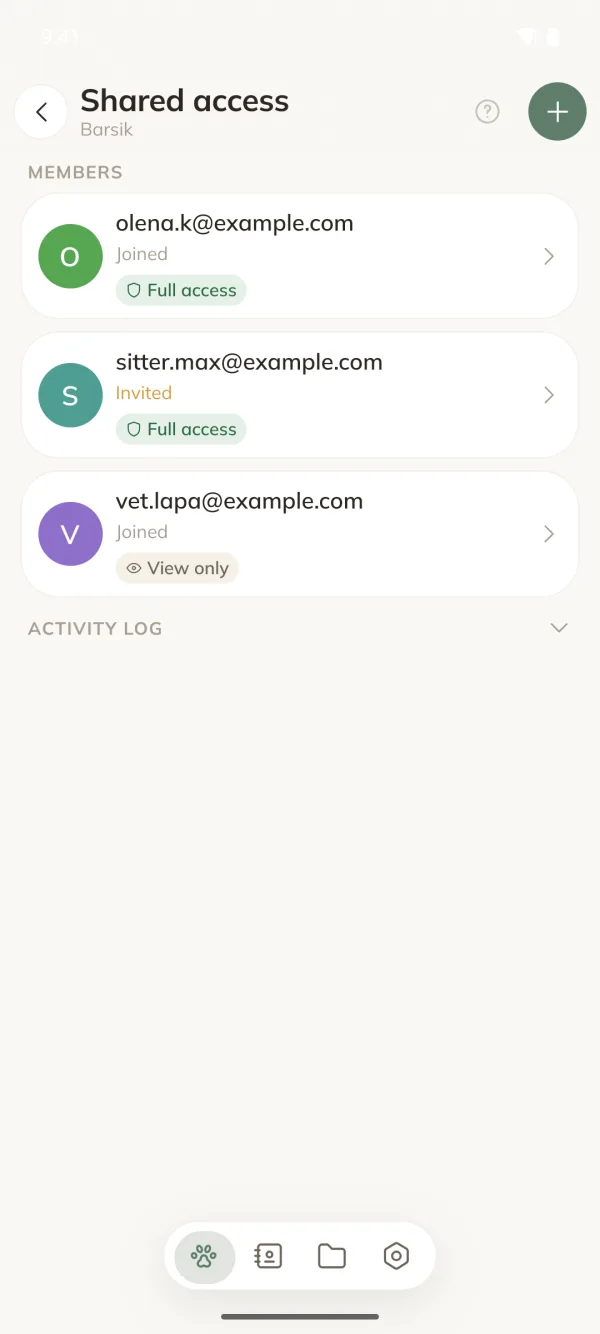
Share with family, your vet or a pet sitter. Open only the sections each person needs and decide whether they can make changes.
- FamilyFull access
Keep track of everything with you
- VetView only
Sees the full medical record: visits, tests, treatment and documents
- Pet sitterFull access
Sees only the pet you choose and marks each dose, which you see in the log
- BreederView only
Follows the vaccinations and vet visits of a puppy from their kennel
- Remove access any time, and everything they added stays with you.
- If someone deletes a record or document, it waits in your trash for 30 days so you can restore it.
- New permissions apply at once, and the person gets a notification.
Sharing is opened by an owner with Premium. Invited people don’t need a subscription, and a shared pet doesn’t count toward their free limit.
And everything else worth remembering
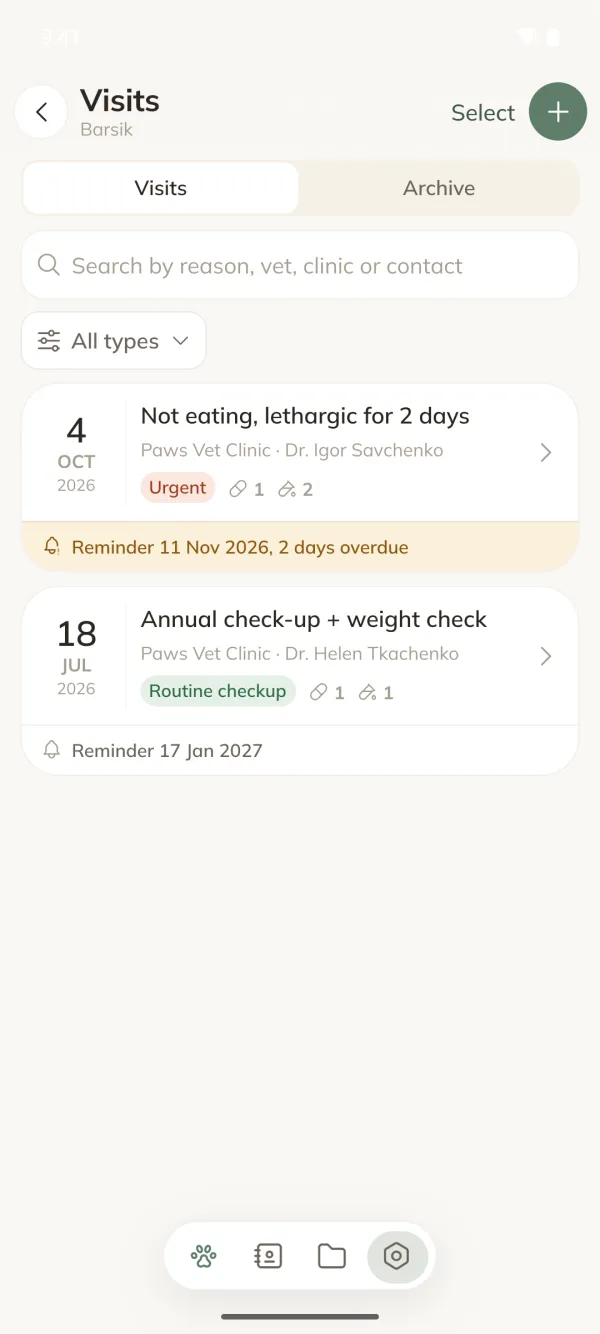
Vet visits
The vet’s conclusion, what you forgot to ask, and a reminder for the next visit.
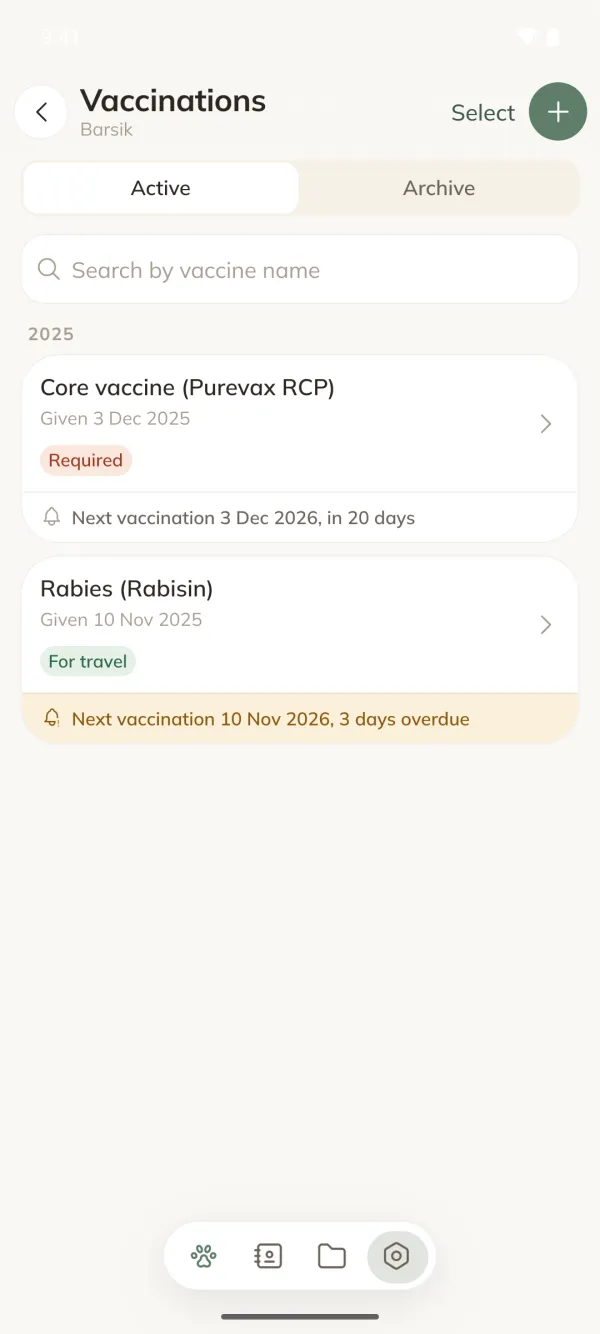
Vaccinations
Reminds you ahead of time and shows what’s overdue.
Documents
Pet passport, prescriptions, results. A photo or a file, kept next to the right record.


Medical card PDF
The whole history in one file for a new vet.
Diary
Appetite, behaviour, mood. With date and photo, so you remember when it started.
Places nearby
Vet clinics, groomers, pet shops, pet hotels and dog trainers on a map, with opening hours.
Start for free
Everything essential is free. Premium costs about the price of a coffee a month, and the first 7 days are free. Cancel in Google Play before the trial ends and you won’t be charged.
- Health record
Visits, treatment, vaccinations, tests, documents and diary
- Reminders
For anything, from meds and vaccinations to visits and follow-up tests
- Dose log
Who gave the medicine, and when
- Lab results on a chart
See how values change from test to test
- QR collar tag
And “I’m lost” mode if your pet goes missing
- Places directory
Vet clinics, groomers, pet shops, pet hotels and dog trainers on a map: address, hours, open now, and a one-tap call
- As many pets as you like
One pet on the free plan
Premium - Shared access
Family, your vet or a pet sitter see what they need
Premium - Mark right in the reminder
You can always log a dose in the app; with Premium, with one tap in the notification too
Premium - Documents in the cloud
Records are backed up even without Premium; with it, document files too, up to 500 MB
Premium - PDF for your vet
The whole history in one file, or any single visit
Premium - No ads
Anywhere in the app
Premium
FAQ
Does it work offline?
Yes. Data lives on your phone and reminders arrive without a connection. You need internet for cloud backup, sharing and the QR page. Anything you add offline stays on your phone and goes to the cloud once you’re back online.
Is there an iPhone version?
It’s on the way. Chepeti is on Google Play now, and the iPhone version is coming to the App Store. Until then, someone with an iPhone can’t join a shared pet.
What happens to my data if I change phones?
If you’ve added and confirmed your email, sign in on the new phone and all your records come back: visits, treatment, vaccinations, tests and diary. With Premium, your document files come back too. Without a confirmed email there’s no way to restore them: if the phone is lost, so are they.
Who can see my data?
Only you and the people you share access with. Without an account everything stays on your phone; an account is only for cloud backup, QR and sharing. Analytics turn on only with your consent, and you can delete everything in one tap in the app.
Which pets does it support?
Cats, dogs, rabbits, rodents, birds, reptiles and more.
What if my Premium ends?
All your pets and records stay, and you can keep adding new entries. You won’t be able to add another pet, share access or make a PDF, and existing sharing is paused. You can download your document files from the cloud to your phone; the app shows the date.
Does the QR tag cost anything?
No, the QR is free. The app makes the image, and you print or order the tag wherever suits you. Whoever finds your pet opens the page with their phone camera, no app needed.
How do I delete my account and data?
In the app: Profile, then “Data and privacy”. Or on the account deletion page.